Windows
| Step | Screenshot |
|---|---|
|
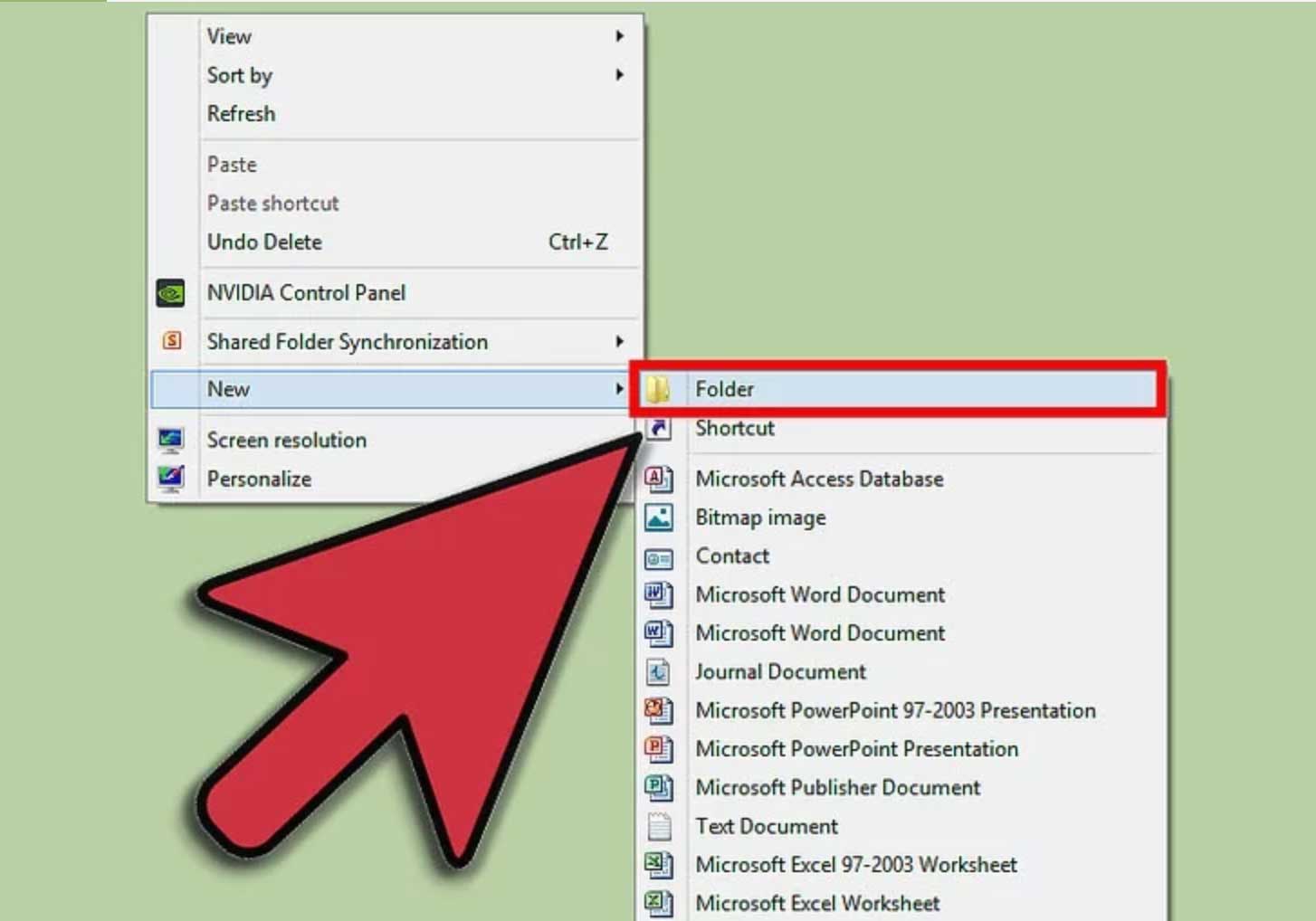
1. For Windows computers, create the folder that will contain all the files and other folders you want to zip. Once created, copy or move all your desired folders here.
|
|
|
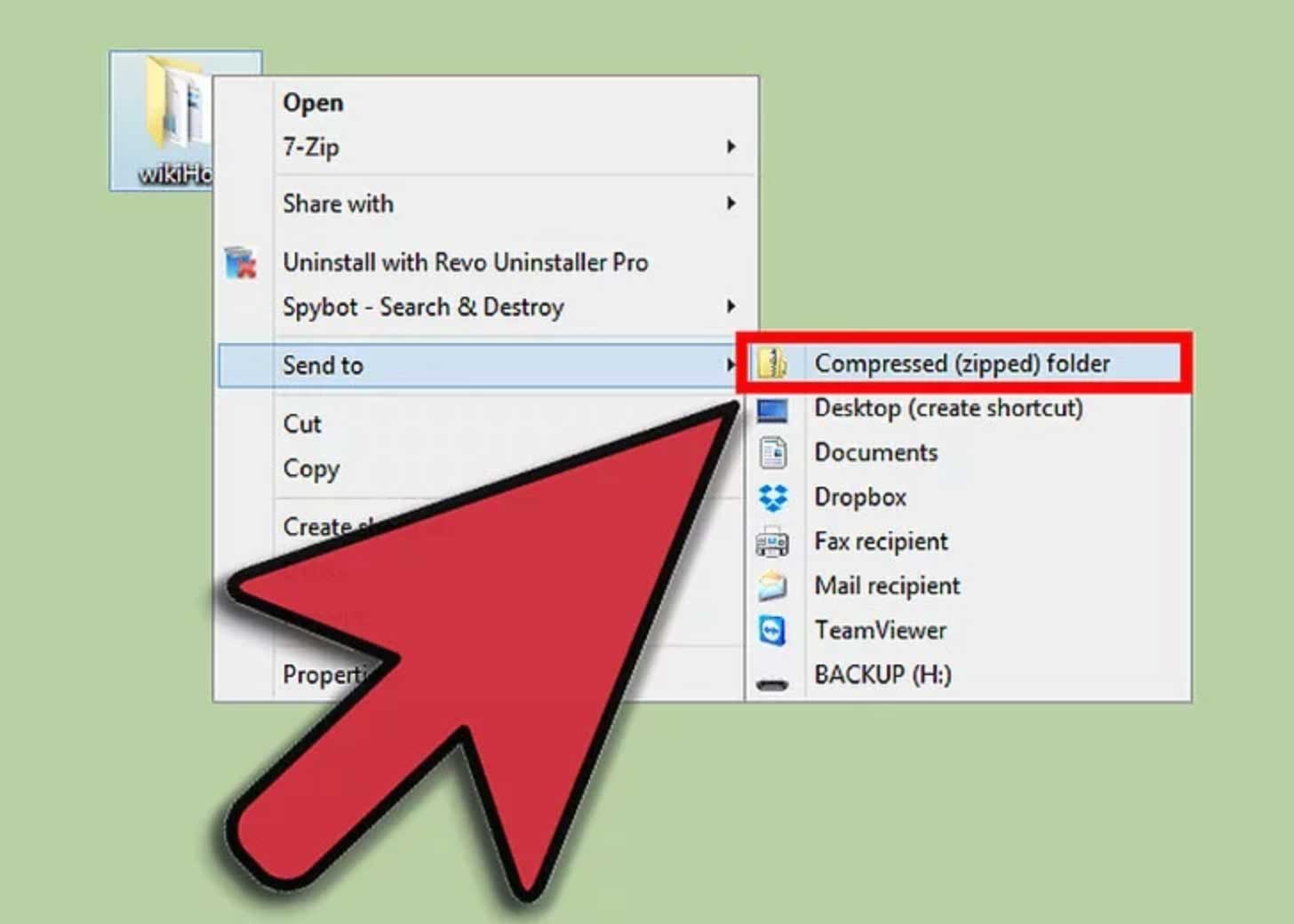
2. Right click on the folder containing all your files and select "Send to -> Compressed (zipped) folder"
|
|
Mac (OSX)
| Step | Screenshot |
|---|---|
|
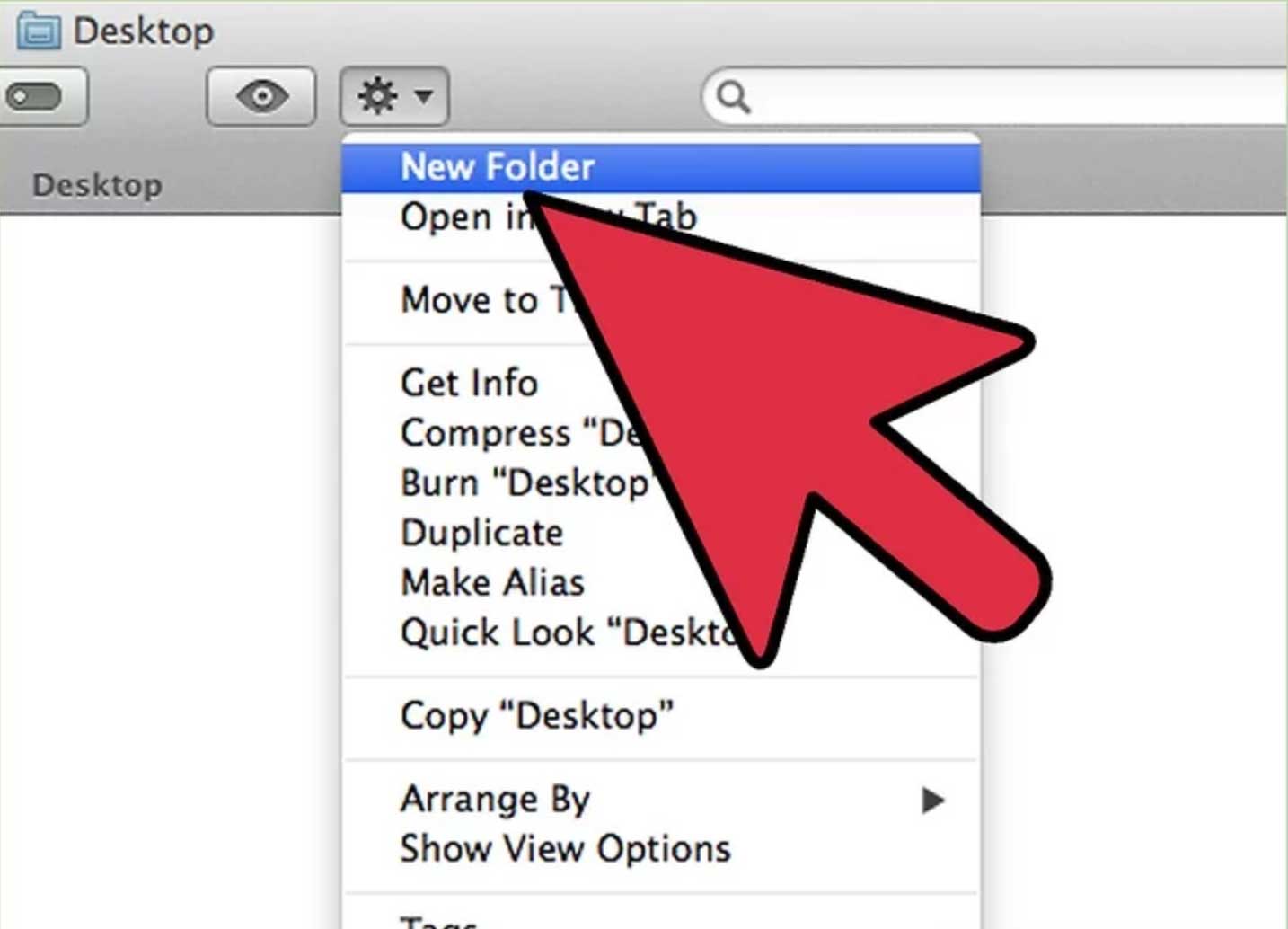
1. For Mac (OSX) computers, create the folder that will contain all the files and other folders you want to zip. Once created, copy or move all your desired folders here.
|
|
|
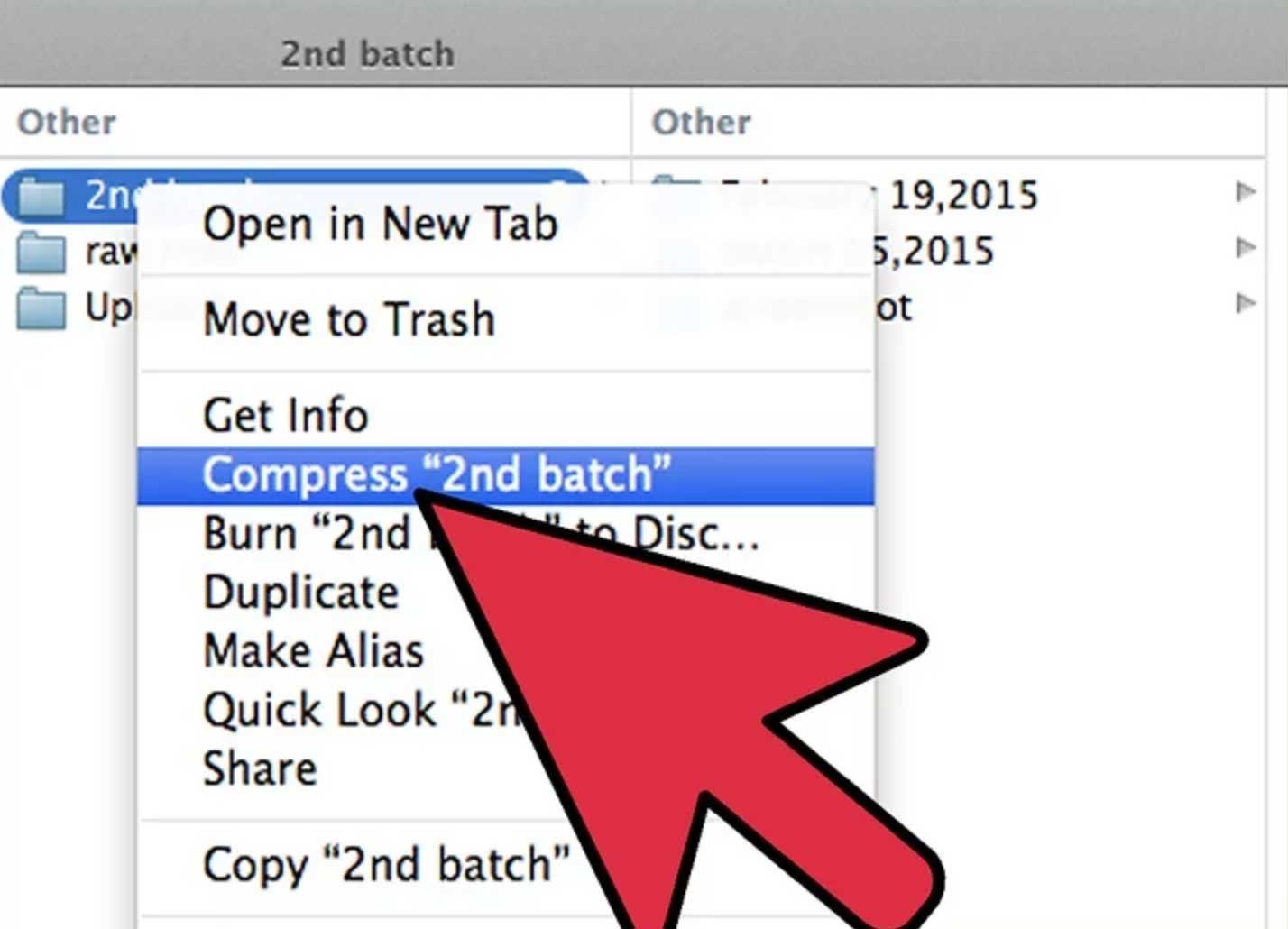
2. Right click on the folder containing all your files and select "Compress..."
|
|